오늘은 미드저니 프롬포트 집중 실습을 하였다
--style raw ⇪는 스페이스
/imagine⇪prompt⇪--v⇪숫자⇪--style⇪raw
적용 가능 버전: v5.1, v5.2, v6.0, v6.1, v7, niji6
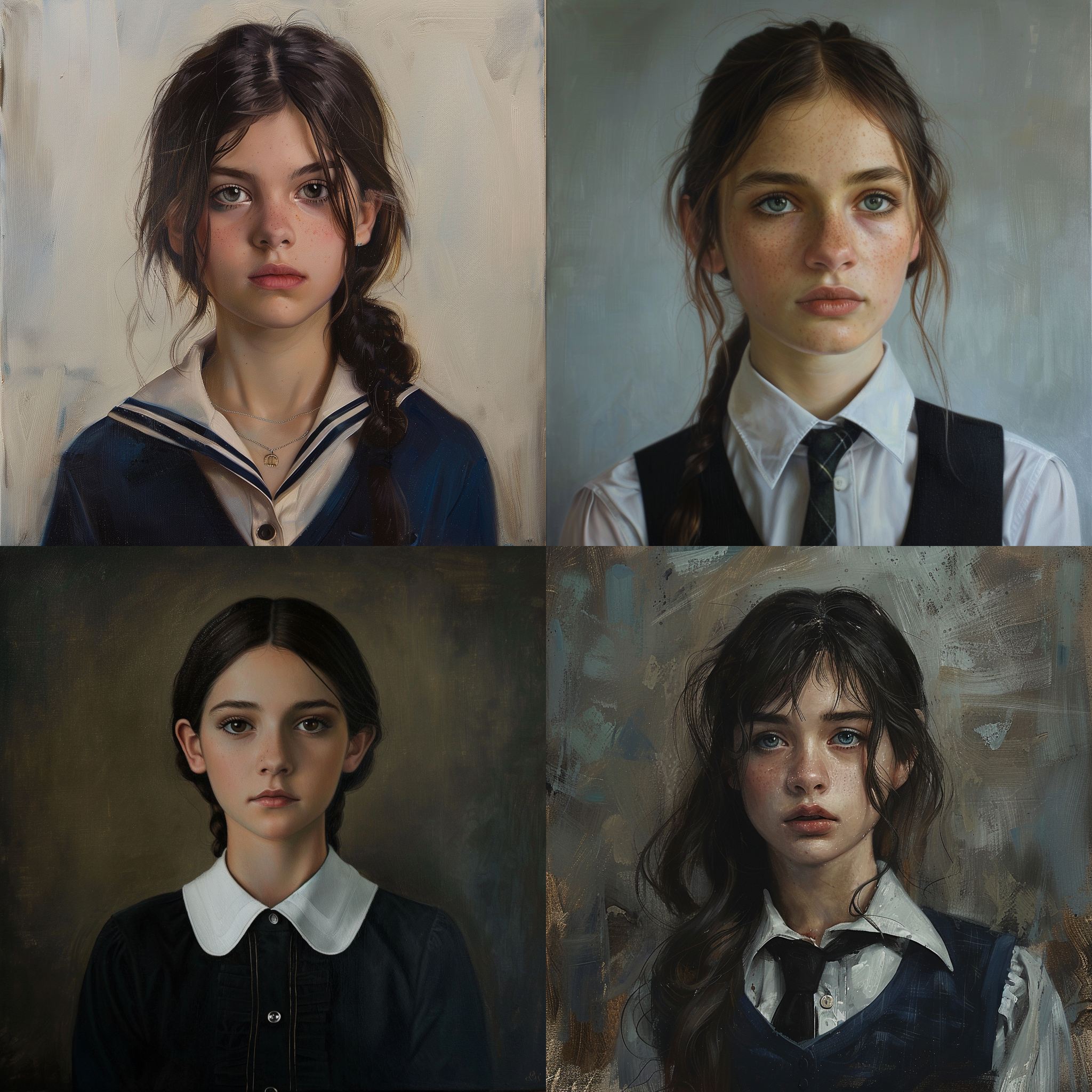
이미지 1은 어떤 parameter도 적용 안한 이미지이다. portrait of a girl ina school uniform
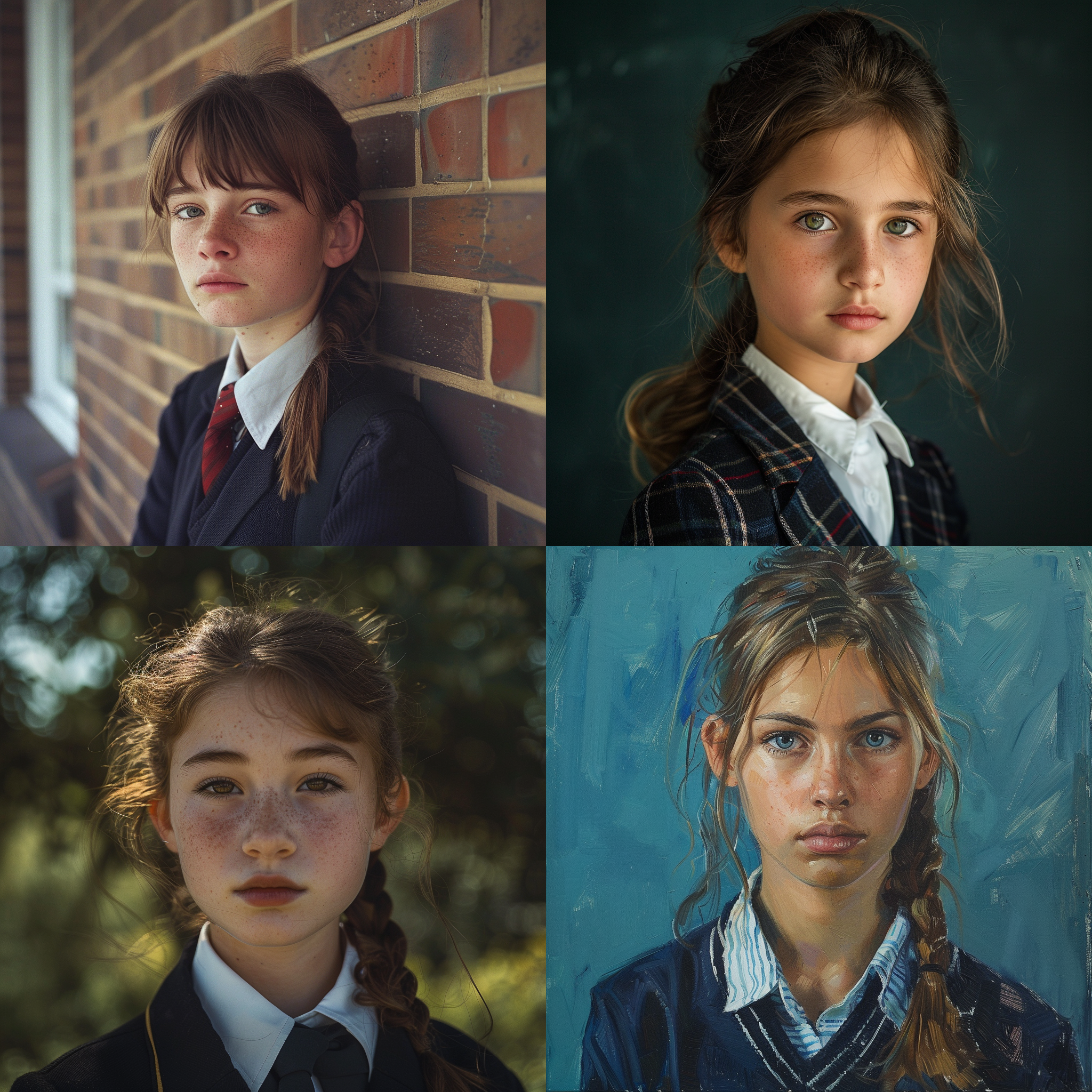
이미지 2는 portrait of a girl ina school uniform --v 6.0 --raw
이미지 옵션(parameter)을 지정하지 않은 1번은 AI가 알아서 이미지에 감성을 더해 생성한다.
임의의 보정이 들어가는 것이다.
옵션을 지정한 2번은 AI의 보정을 끄고 프롬포트에 충실해 생성한다.
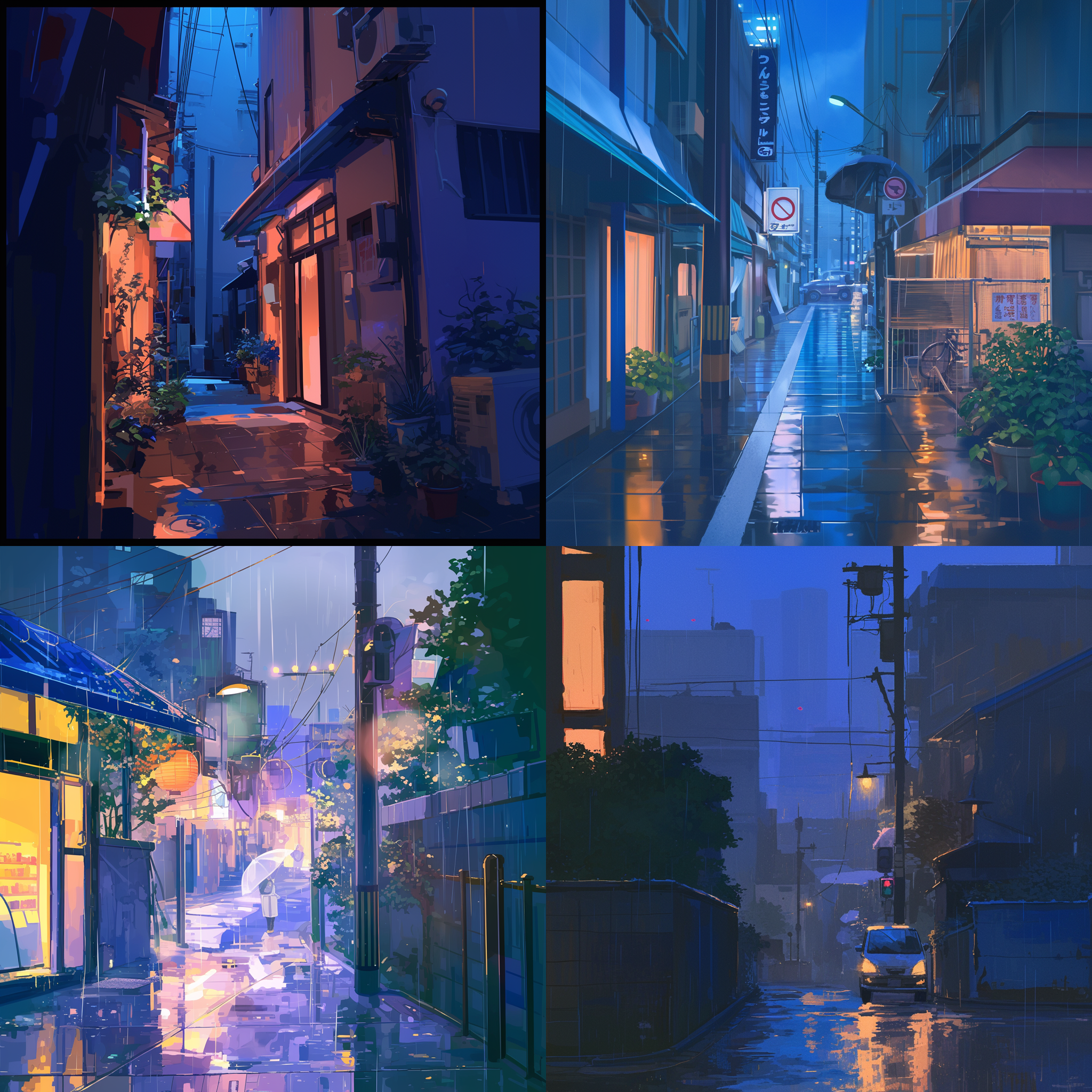

이미지 1은 --niji에 옵션을 지정하지 않은 a quiet street in tokyo at night, raining --niji 6 기본 결과물,
이미지 2는 --niji에 a quiet street in tokyo at night, raining --niji 6 --raw 결과물이다.
--niji같이 그림의 특징이 많이 나타나야 시각적으로 더 우수한 결과물의 경우에는 --style raw가 더 나은 선택이 아닐 수도 있는 것 같다.
--sref
/imagine⇪prompt⇪--sref⇪image URL(여러개 가능 스페이스바 필수)
적용 가능 버전: v6.0, v6.1, v7, niji6

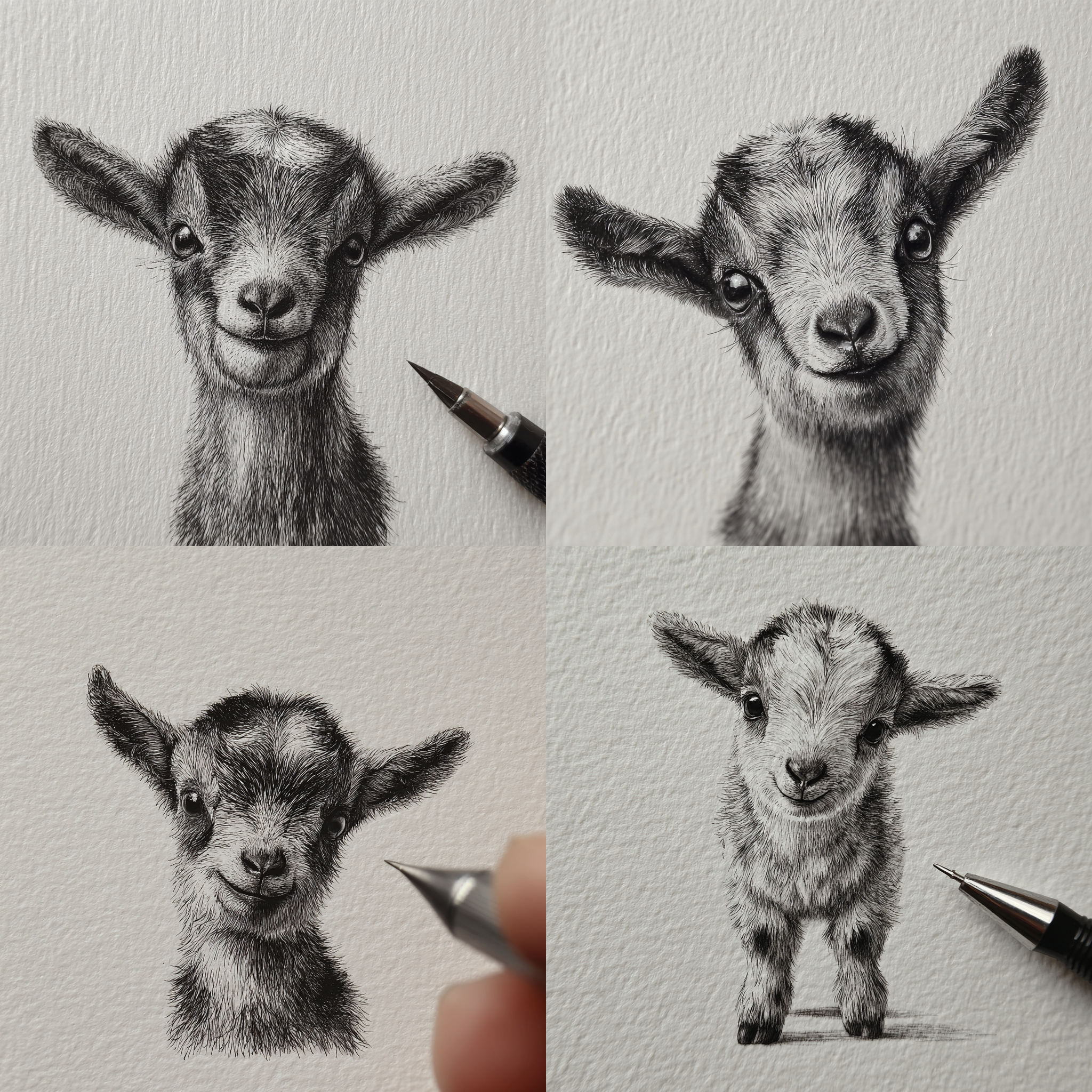
1은 펜 드로잉 형식의 병아리, 2는 1의 이미지를 토대로 제작한 염소 이미지이다.
Style Reference(스타일 참조)의 약자로, 특정 이미지의 화풍, 색감, 분위기를 그대로 복사하여 새로운 이미지에 적용하고 싶을 때 사용하는 파라미터이다.
프롬프트 맨 뒤에 --sref를 적고, 한 칸 띄운 뒤 참조하고 싶은 이미지의 웹 주소(URL)를 붙여넣는다.


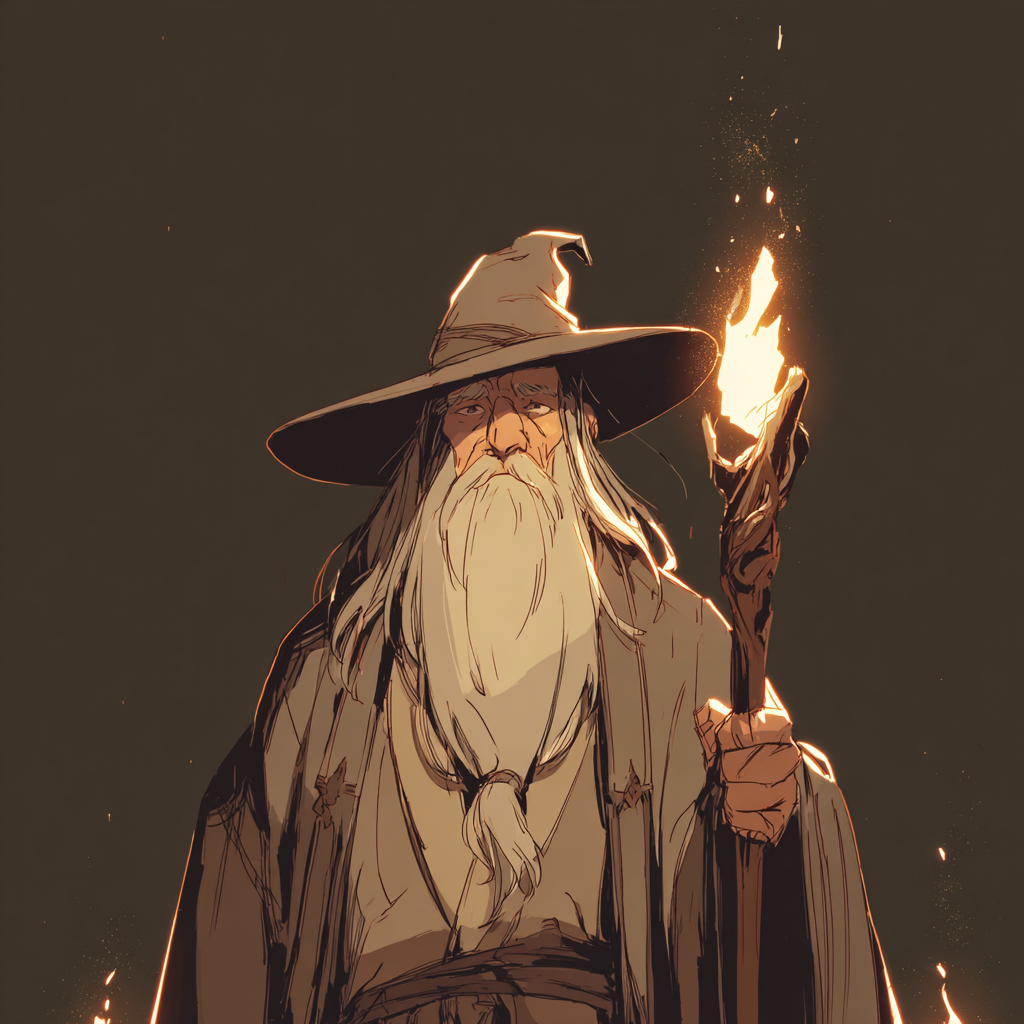
/imagine beautiful girl --sref https://s.mj.run/EP1g-WiC2Hw https://s.mj.run/aUy--SI6yWE(집 내부)--v 7.0




--sw (스타일 강도)Style Weight
sref(이미지URL) 스타일을 얼마나 세게 적용할지 조절하는 값
--sw (--sref와 이미지URL이 반드시 같이 쓰여야함)
/imagine⇪prompt⇪--sw⇪숫자(범위: 0~1000, 기본값: 100)⇪--sref⇪image URL
적용 가능 버전: v6.0, v6.1, v7, niji6

1은 baseball field, a flat, childlike drawing with no perspective, simple shapes and naive style --v 7.0 --raw 를 사용해 만든 러프 드로잉 이미지이다.
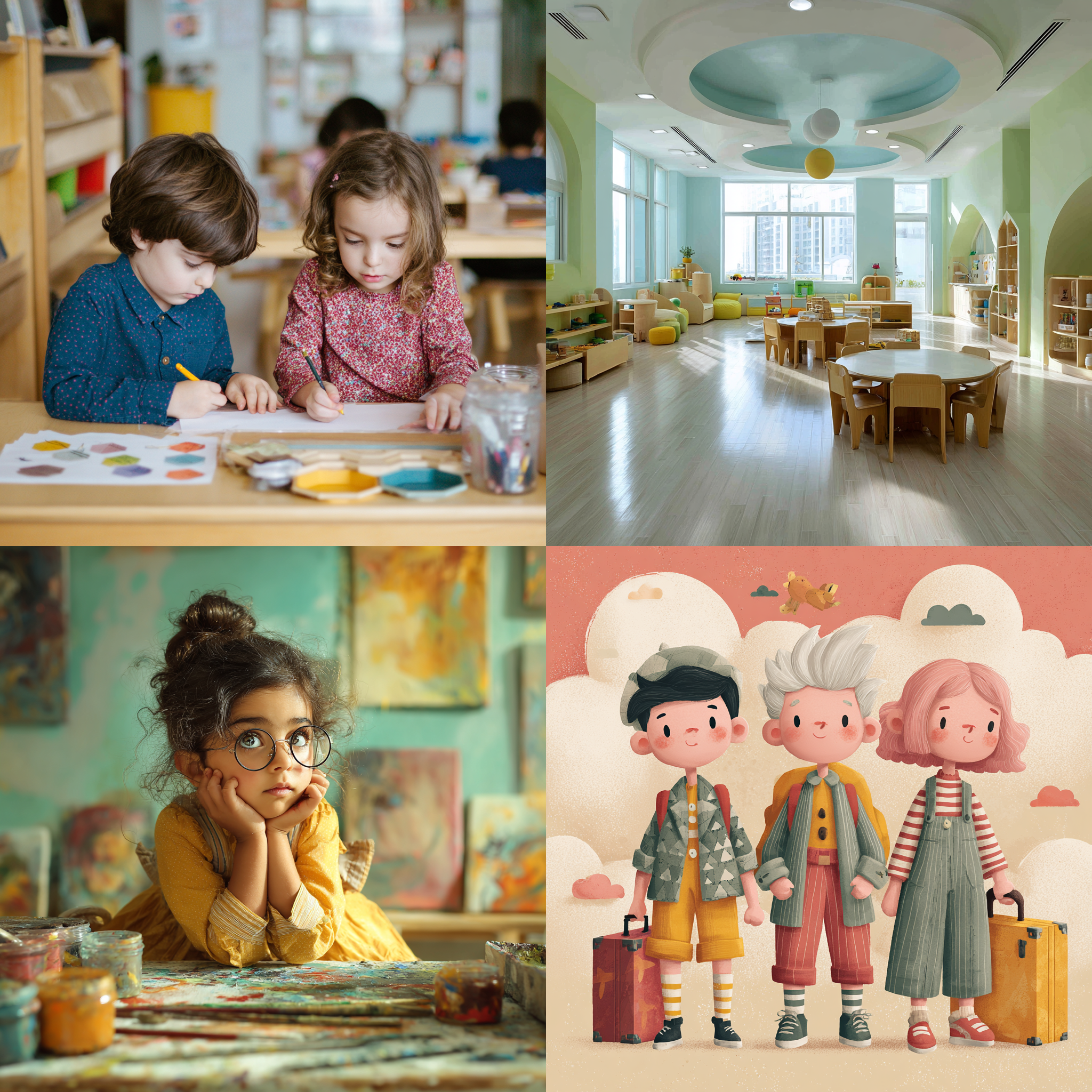


2는 styilsh preschool --sref https://s.mj.run/sr82NjOklyQ --sw 0 --v 7.0
3은 styilsh preschool --sref https://s.mj.run/sr82NjOklyQ --sw 500 --v 7.0
4는 styilsh preschool --sref https://s.mj.run/sr82NjOklyQ --sw 1000 --v 7.0
생성한 야구 경기장 이미지에 --sref를 강도별로 적용해 2,3,4 가 생성됐다.
2-> 3-> 4로 갈수록 --sw의 값이 커지면서 입력한 텍스트 프롬포트보다 이미지1의 스타일 특징이 강해진다.
| 값 | 느낌 |
| --sw 50 | 거의 영향 없음 |
| --sw 100 | 기본 |
| --sw 300 | 스타일 확실히 보임 |
| --sw 500~800 | 스타일 지배적 |
| --sw 1000+ | 레퍼런스 복붙 |
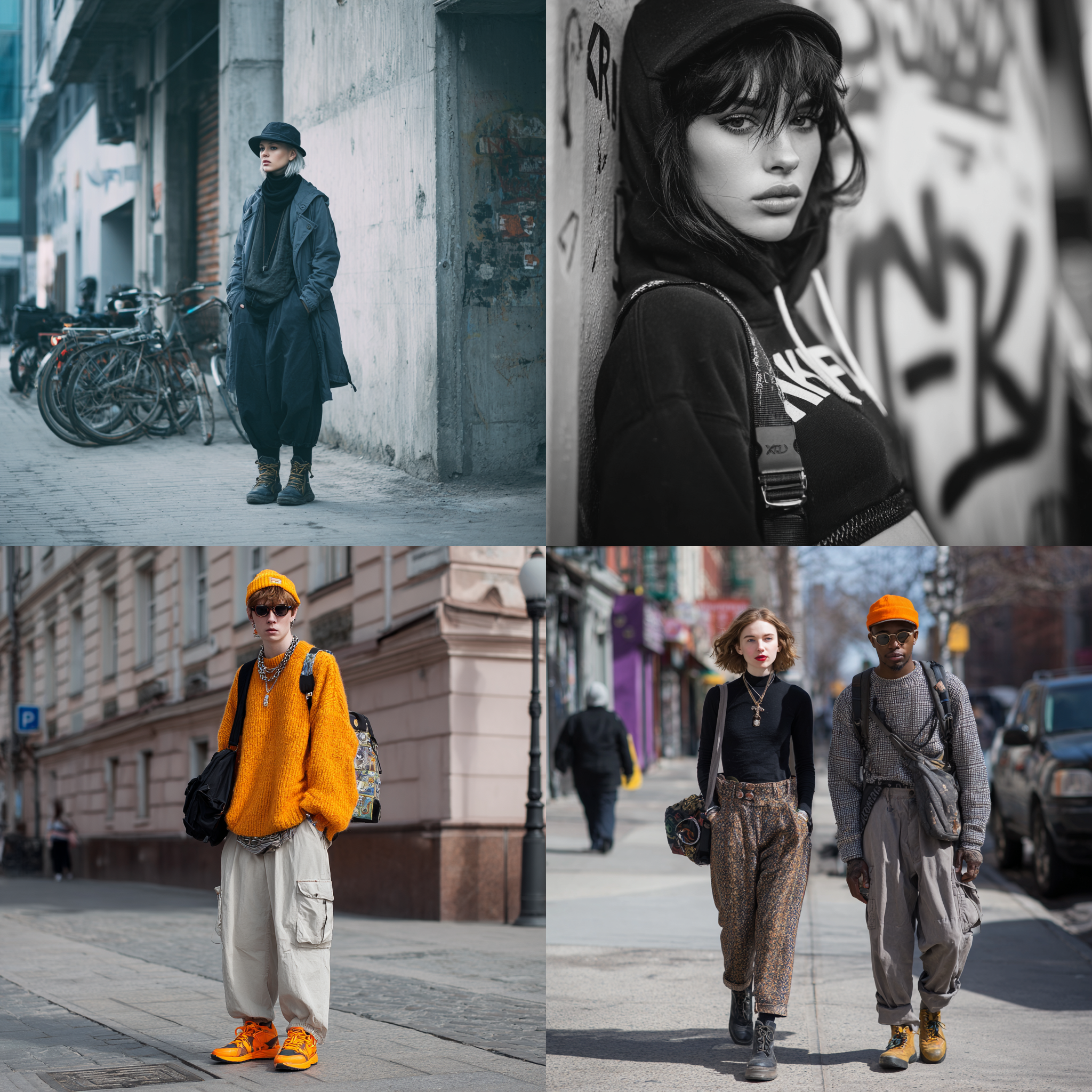


--cref(캐릭터 참조)캐릭터의 정체성을 지키는 파라미터 (character reference)
--sref, --sw의 그림버전이다.
특정 이미지의 인물/캐릭터 외형 유지, 여러장의 이미지에서 동일한 캐릭터가 등장해야할 때 사용된다.
/imagine⇪prompt⇪--cref⇪캐릭터 래퍼런스 이미지URL
적용 가능 버전: v6.0, niji6


1은 female spy, a tense stealth infiltration scene, full body --ar 3:4 --s 200 --niji 6
2는 female spy in the alley, full body --ar 3:4 --niji 6 --cref
생성한 골목에 있는 여자 스파이에 --cref를 했더니 얼굴 및 특징이 같은 캐릭터로 이미지2가 생성됐다.
--cw(스타일 강도)Character Weight
--cw (--cref와 이미지URL은 반드시 같이 쓰여야함)
/imagine⇪prompt⇪--cw⇪숫자(범위: 0~100, 기본값: 100)⇪--cref⇪image URL
적용 가능 버전: v6.0, niji6

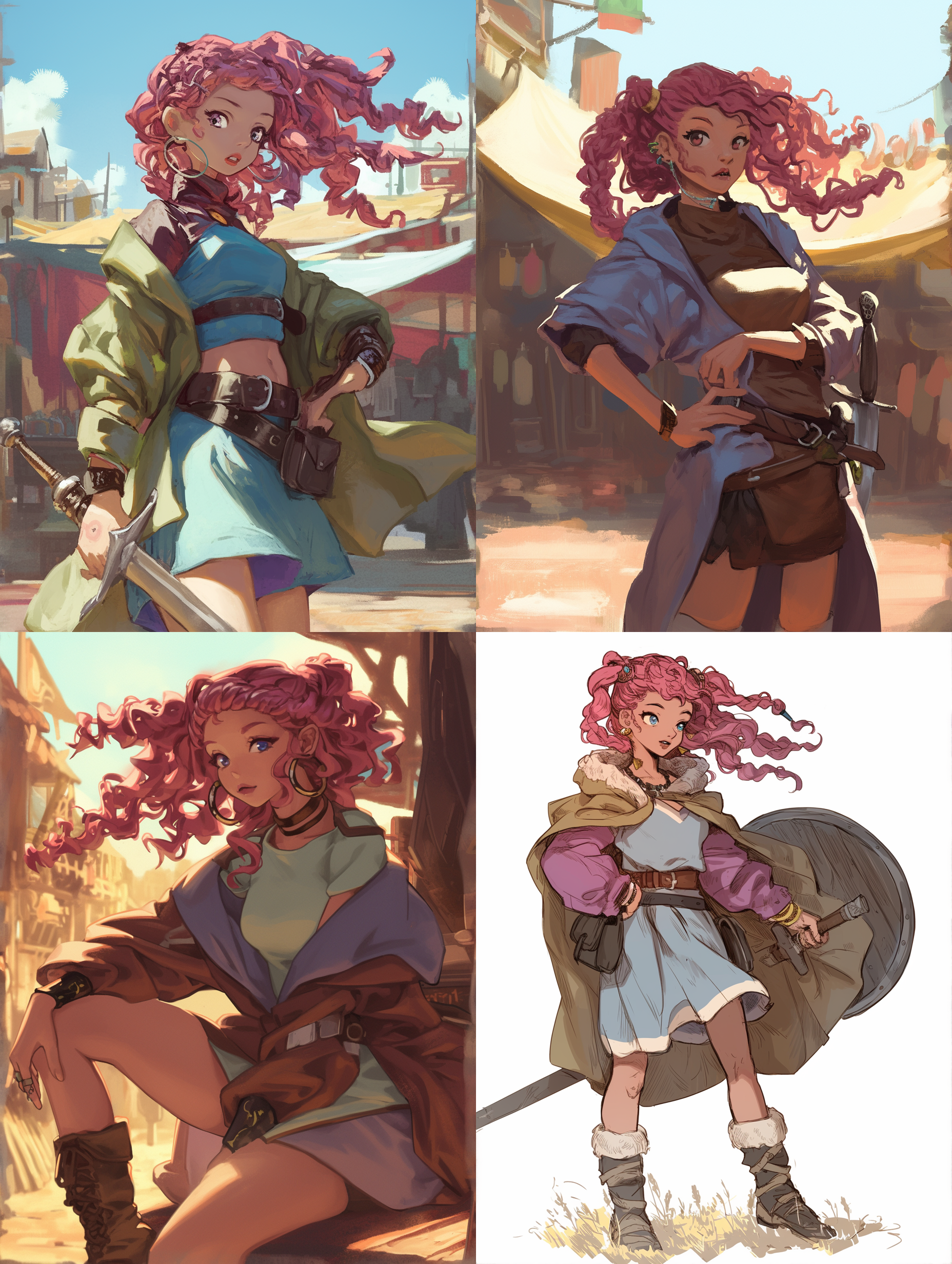

1은 prankster girl, full body --ar 3:4 --niji 6
2는 young female warrior at the market, full body --ar 3:4 --niji 6 --cw 35 --cref
3은 young female warrior at the market, full body --ar 3:4 --niji 6 --cw 100 --cref
생성한 장난꾸러기 여자 이미지1에 --cref를 강도별로 적용해 2,3 이 생성됐다.
2-> 3으로 갈수록 --cw의 값이 커지면서 입력한 텍스트 프롬포트보다 이미지1의 스타일 특징이 강해진다.
--tile(반복 패턴 제작때)반복 이미지의 테두리가 자연스럽게 이어진다.
Seamless Pattern
/imagine⇪prompt⇪--tile (v 5.0 이후)


1은 16-bit pixel art, Child's rough drawing of a lizard with bright colors and simple lines,little white flowers, bright forest, sun shine --tile --v 7.0
2는 1을 4개 이어붙여 편집한 이미지이다.
--tile은 이미지를 몇 장을 이어붙이든 연결되는 리핏 이미지를 생성한다.
복잡한 이미지는 경계가 부자연스러울 수 있다고 한다.
/describe
사용자가 업로드한 이미지에 대해 미드저니가 4개의 텍스트 프롬포트로 해석, 구성 요소 추출


1은 Betta --v 7.0를 반복해서 돌려 뽑아낸 이미지 ->2 선택
3은 2에서 보이는 특징을 텍스트화해서 다시 생성한 이미지이다.
사용 프롬포트:a small betta fish underwater, side view, vibrant colors, flowing ornate tail, highly detailed, realistic, subject in sharp focus, soft glowing light around the fish, dark blue ocean background, mysterious atmosphere, cinematic lighting --ar 2:3 --s 200 --v 7.0 --raw
/describe : 사용자가 업로드한 이미지에 대해 미드저니가 4개의 텍스트 프롬포트로 해석, 구성 요소 추출
/describe 라는 이미지URL을 입력하면 이미지에 대한 프롭포트를 생성하는 명령어도 있다.


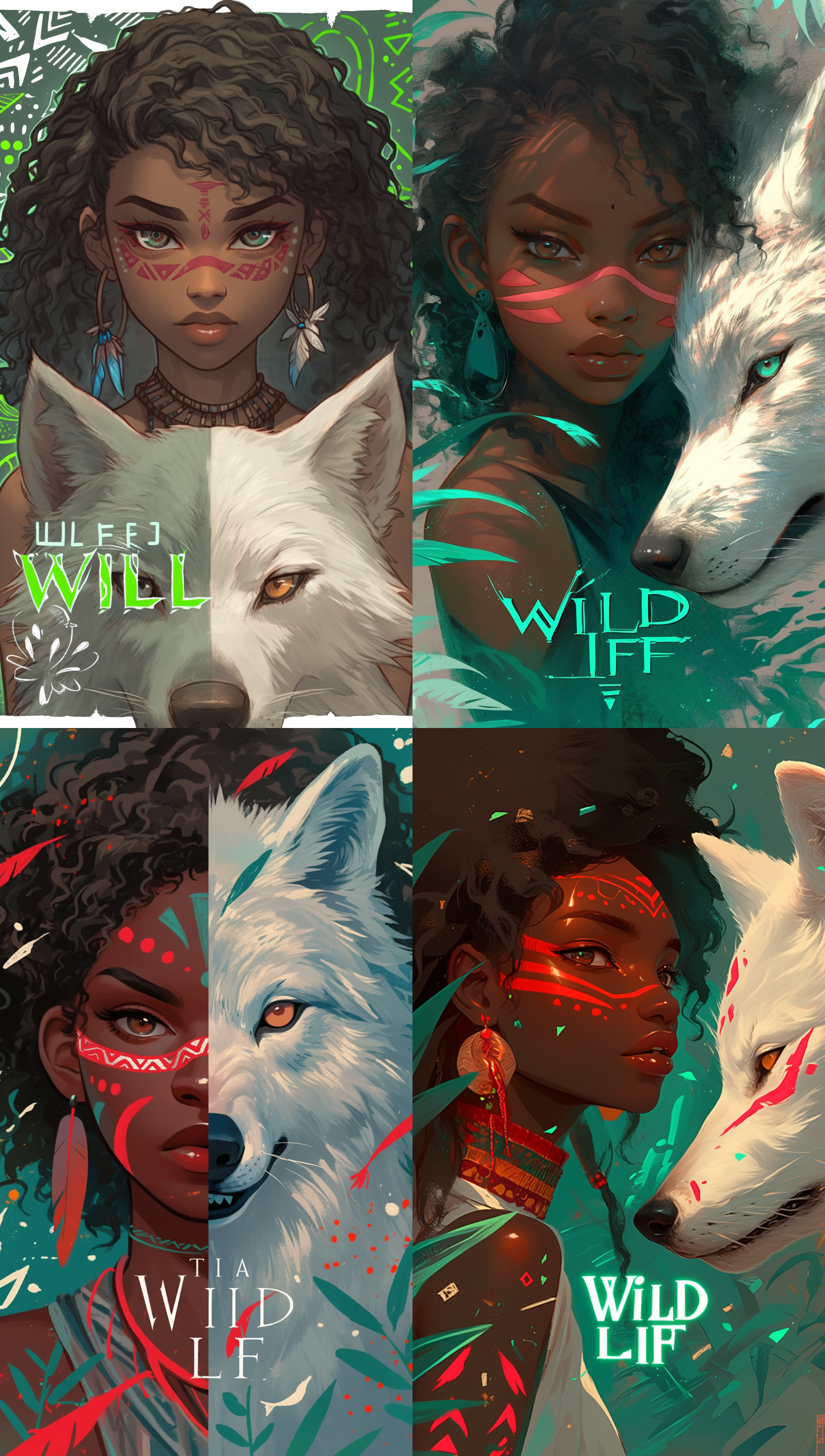
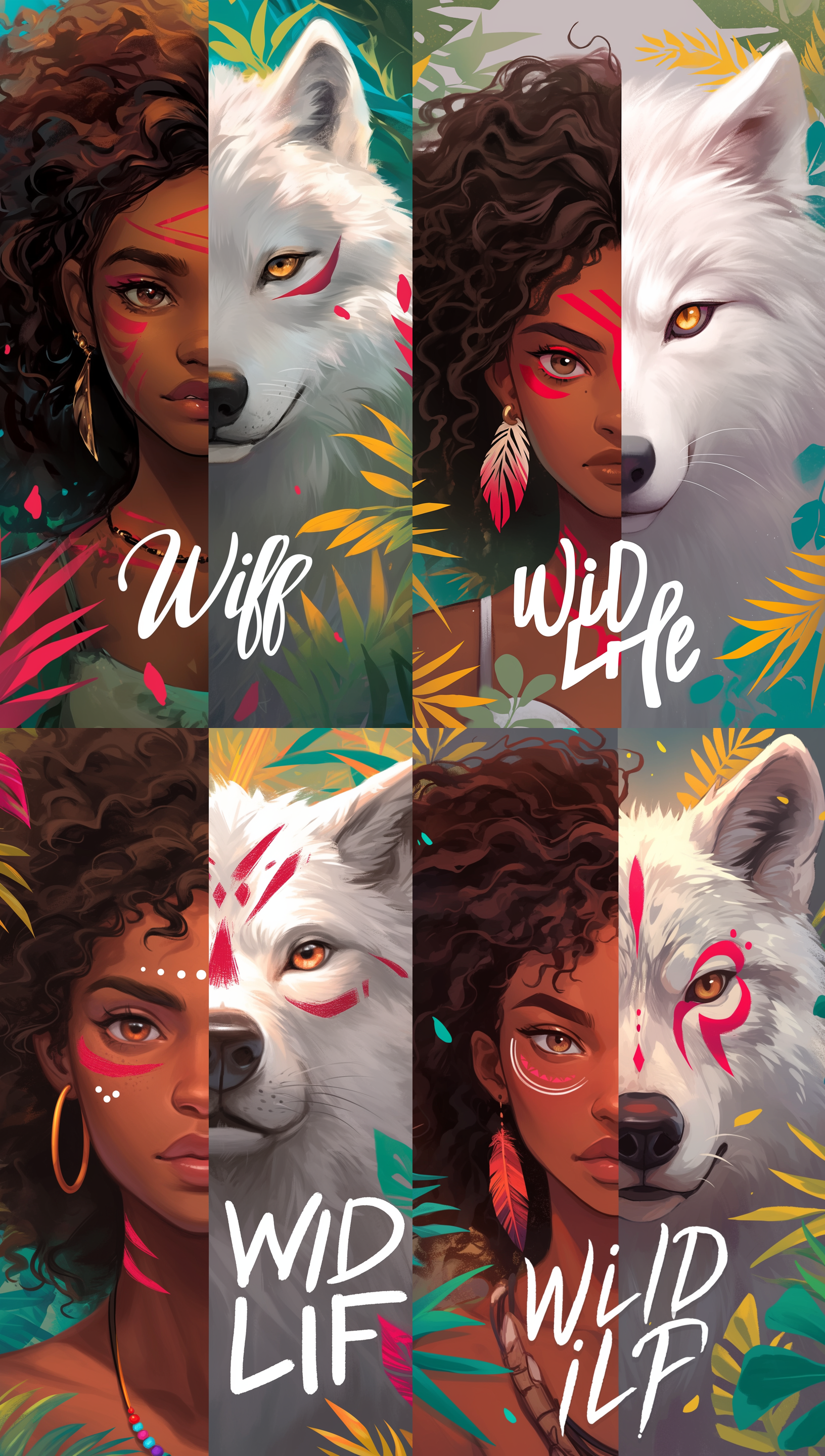
1은 실습에서 보여준 프롬포트 a beautiful digital illustration of an African American woman with medium black hair and light brown eyes she has red stripes on her face, a white wolf is next to the girl, background is in a grey color with geometric patterns, there is text that says ‘Wild Life’ in the style of the artist --ar 17:30 --niji 6 를 적용해 만든 이미지이다.
2는 1의 프롬포트에서 구성을 바꿔 생성한 이미지이다.
사용 프롬포트: a beautiful digital illustration of an African American woman with medium black curly hair and light brown eyes she has red stripes on her face, a white wolf is next to the girl, the left half human face, right half wolf's face, clear vertical border, Front-facing, background is in a grey color with green neon africa patterns, there is text that says ‘Wild Life’ in the style of the artist --ar 17:30 --niji 6


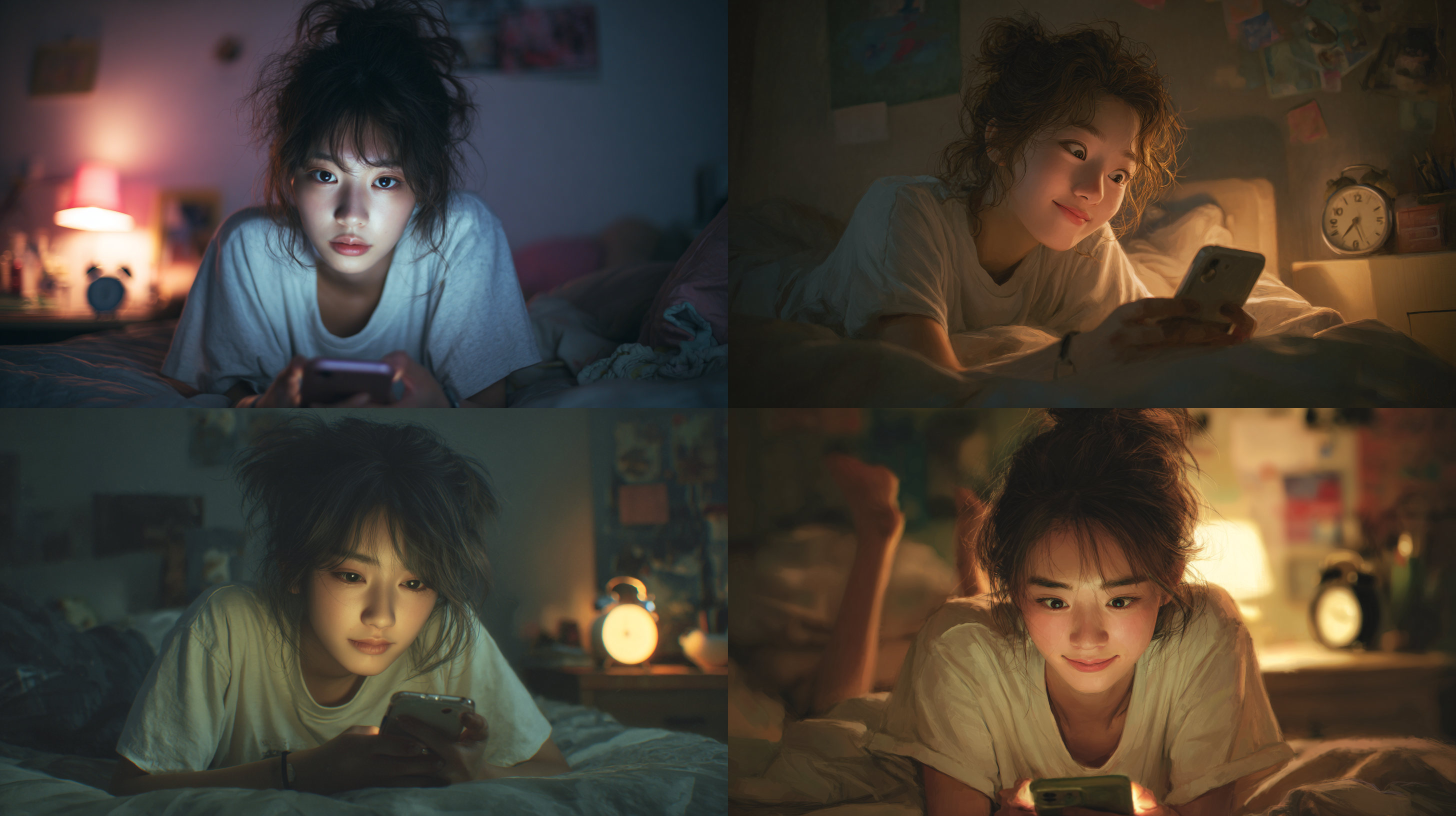
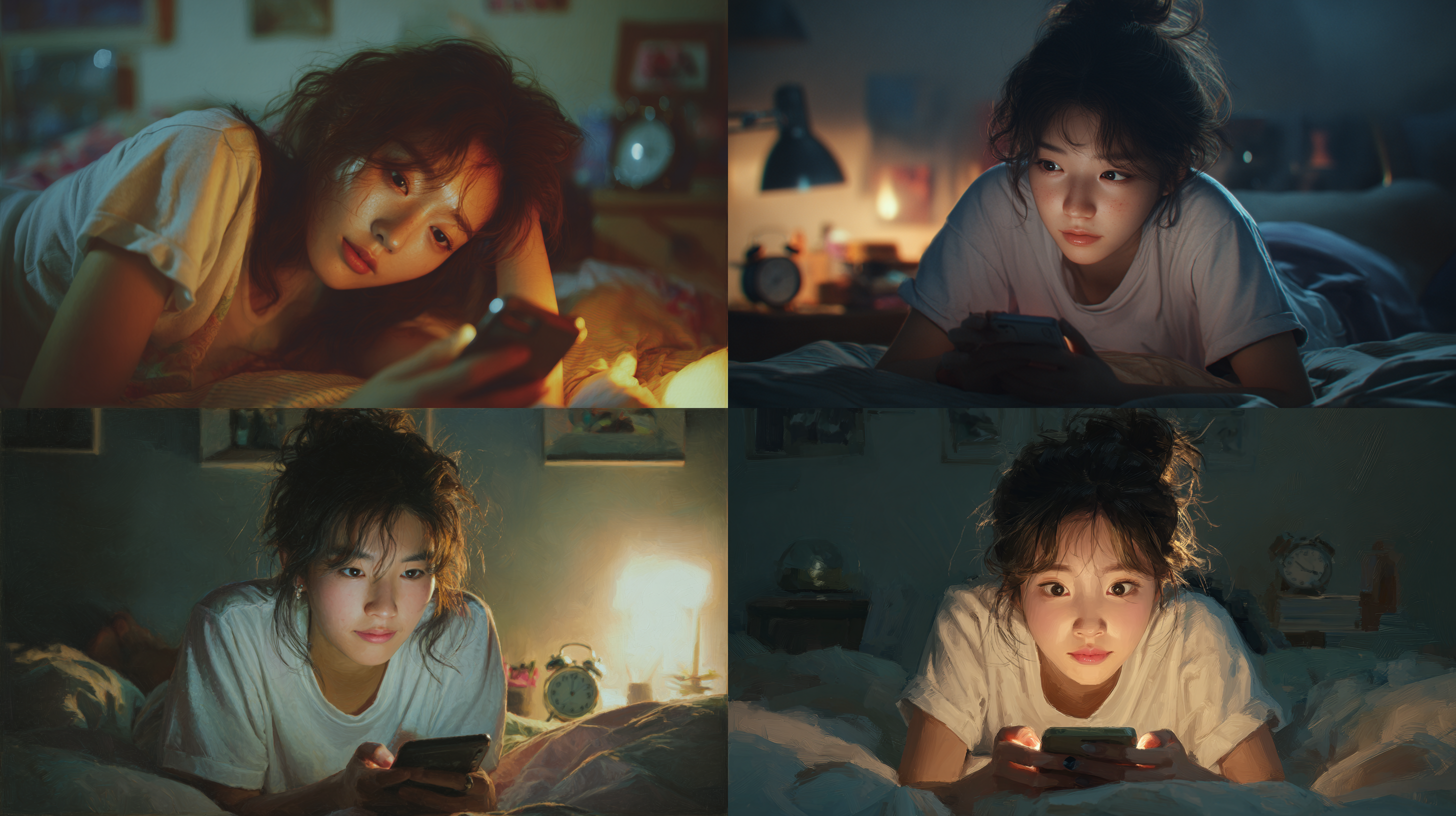
1은 a hyper-realistic shot of a teenage Korean girl lounging on her bed, her messy hair and casual thin short sleeve t-shirt adding to the natural feel, her eyes are locked on the glowing smartphone screen in her hands, her expression a mix of focus and subtle amusement, as if lost in the digital world, the soft light from the phone highlights her face, contrasting with them dimly lit room and blurred details in the background, a small clock on the nightstand shows 2:00 am, blending seamlessly with the calm, late-night atmosphere --ar 16:9 --v 7.0 를 입력해 생성한 이미지이다.
2는 1의 프롬포트에서 her expression a mix of focus and subtle amusement, as if lost in the digital world, the soft light from the phone highlights her face 를 제거하고little smile face를 추가해 생성한 이미지이다. 그랬더니 광기가 있는 얼굴이 나와서 다시 생성했다.
3은 little smile face를 a faint smile on the lips으로 바꿔 생성한 이미지이다.
프롬프트 구조화 실습을 통해 미드저니가 언어를 해석하는 메커니즘을 이해할 수 있었다.
특히 주제~ 요소까지 이어지는 순서가 이미지의 퀄리티와 직결된다는 점이 인상적이었다.
단순한 단어의 나열보다 맥락의 우선순위가 중요했다.
특정 단어의 영향을 조정하는 가중치(::) 설정 또한 적절히 사용하면 AI와의 작업에서 더욱 정교하고 의도적인 제어가 가능랄거라 생각한다.
디자인 감각 훈련🎨


'MIDJOURNEY' 카테고리의 다른 글
| [내일배움캠프_AI디자이너]_LEGODT _ [브랜드 리뉴얼 리서치 및 무드보드 제작] (1) | 2026.03.25 |
|---|---|
| [내일배움캠프_AI디자이너]_죽다 살아난 내 첫 과제💀🫶 404New ERROR~ (0) | 2026.03.24 |
| [내일배움캠프_AI디자이너]_내배캠_AI디자이너_10일차 [Midjourney AI model...] (0) | 2026.03.23 |
| [내일배움캠프_AI디자이너]_Risky + 에스파 세계관 대통합 [Midjourney랑 싸움일지, 지피티니야 고마워] (3) | 2026.03.19 |
| 내배캠_AI디자이너_7일차 [Midjourney]🤖 (0) | 2026.03.17 |